Ecommerce category page SEO: a checklist that helps shoppers choose
Organize category copy, product cards, internal links and filters around one shopping need. Follow a practical office chair example.
Last checked:
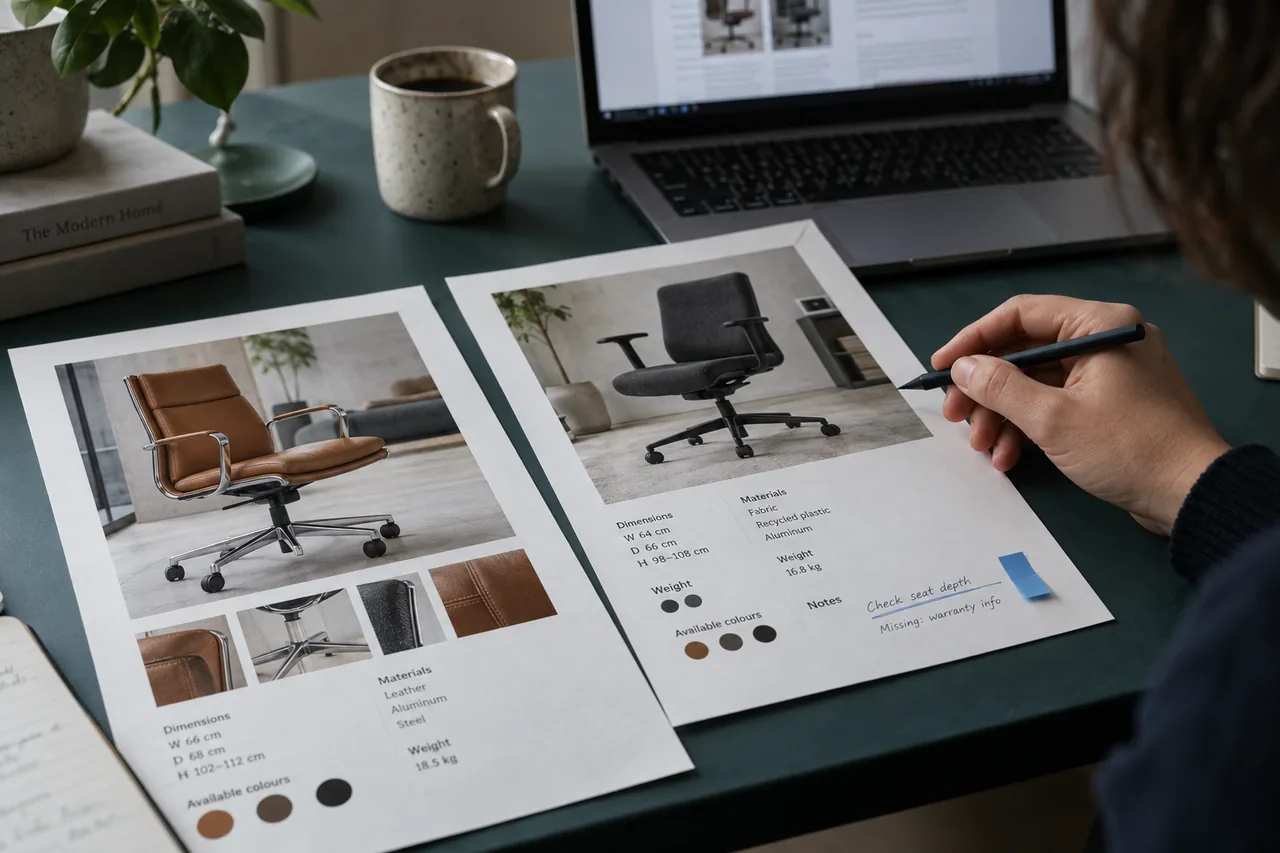
If visitors still struggle to choose products after you add a long SEO paragraph, word count should not be your starting point. Someone searching for an office chair wants to understand desk fit, dimensions and delivery conditions. If that takes ten product tabs, the category page may be missing its main purpose.
This sequence is designed for a small ecommerce team working on one category. Define the shopping need, then improve product selection and accessible links. Review filter URLs with your technical team; each color or sorting option does not need its own search landing page.
1. Give the category one selection task
“Office chairs” is a broad product group; “chairs for a compact workspace” includes a specific constraint. Before creating a separate page, check for enough suitable options, dimensions and sustainable inventory. Creating many categories by attaching different adjectives to two products may not help customers choose.
Write a one-sentence task: “Compare chairs with known dimensions that fit a home desk.” Then ask customer support which questions come up most often. If people regularly ask whether armrests fit beneath their desk, armrest height may be a more useful comparison field than fabric color.
2. Make room for products and buying criteria above the fold
Use the main heading to name the product group. Follow it with a short explanation of the selection or key criteria: “Compare mesh and upholstered models by seat height and armrest adjustment.” Then show products and filters. Your brand's founding story or the importance of office life only lengthens the shopping task here.
Place detailed buying notes near the product list where shoppers can find them when needed. On mobile, check the distance between the heading, filter button and first product card. Open the actual page to see whether added copy has unintentionally made product discovery harder.
| Page location | Questions to answer | Required information |
|---|---|---|
| Short introduction | What options are available here? | Product group and comparison criteria |
| Product card | Is this model worth opening? | Price, key dimensions and adjustments |
| Buying notes | How do I check whether it fits my desk? | Measurement method and link to product details |
3. Make product cards show meaningful differences
Writing “stylish and comfortable” on all six cards does not enable comparison. Seat-height range, armrest adjustment and material, presented consistently, are more useful. Take these fields from supplier documentation or verified product records. Do not ask AI to fill in a missing measurement; send it to the product owner.
If variants change the price, explain what the starting price includes. Keep stock, delivery and assembly details consistent. When a model is removed, check that its card does not leave a dead link. Having one person review the category copy alongside the actual selection makes these problems easier to spot.
4. Follow the links from the menu to the product
Navigate from the main menu to the category, any subcategory and the product detail. Google uses links between pages to understand site structure. Do not make products you want indexed discoverable only through an internal search box; provide links through category navigation.
Have your technical team confirm that product links use an a href element with a real destination URL. A clickable-looking card that only triggers a JavaScript event is not equivalent. Follow a multi-page list to the last product; finding only the first screen's products is insufficient.
Add a descriptive link from a relevant buying guide to the category. For example, link the section about measuring a desk to the selection of suitable chairs. Choose links that support the reader's next decision instead of linking every guide to every category.
5. Make an explicit indexing decision for filters
Color, material, price and sorting combinations can generate many URLs. Google's faceted navigation guidance explains that unnecessary URL growth can consume crawling resources. First collect examples: the main category, a useful subgroup, a sorting variation and an empty combination. Do not apply one rule to all of them.
“Mesh office chairs” may deserve a permanent page if it serves a distinct shopping need. “Blue, price ascending, page three” is more often a browsing state. Decide based on product coverage, demand and maintenance capacity, not merely because a keyword appears in the URL.
Test the chosen crawling and indexing approach with a developer. Canonical, noindex and robots.txt serve different purposes; they are not interchangeable switches. Before changing a URL that already receives traffic, document which page should remain available and how you will verify the change.
6. Run a shopping walkthrough before publishing
Give someone who did not build the page a concrete task: “Find two chairs with adjustable armrests that fit beneath the desk.” Note where they hesitate and what information they seek in another tab. This small walkthrough makes it easier to discuss whether the copy actually helps.
- Content: do the heading, short introduction and product selection serve the same need?
- Products: are comparison fields verified, and are missing details assigned to an owner?
- Access: do mobile filters, product links and the rest of the listing work?
- Tracking: is the change date recorded, and will category queries be monitored with the same filters?
This guide was prepared with AI assistance using official sources. Examples are not customer results and do not promise performance improvements.