Site audit
Find the technical SEO issues that matter, and fix those first.
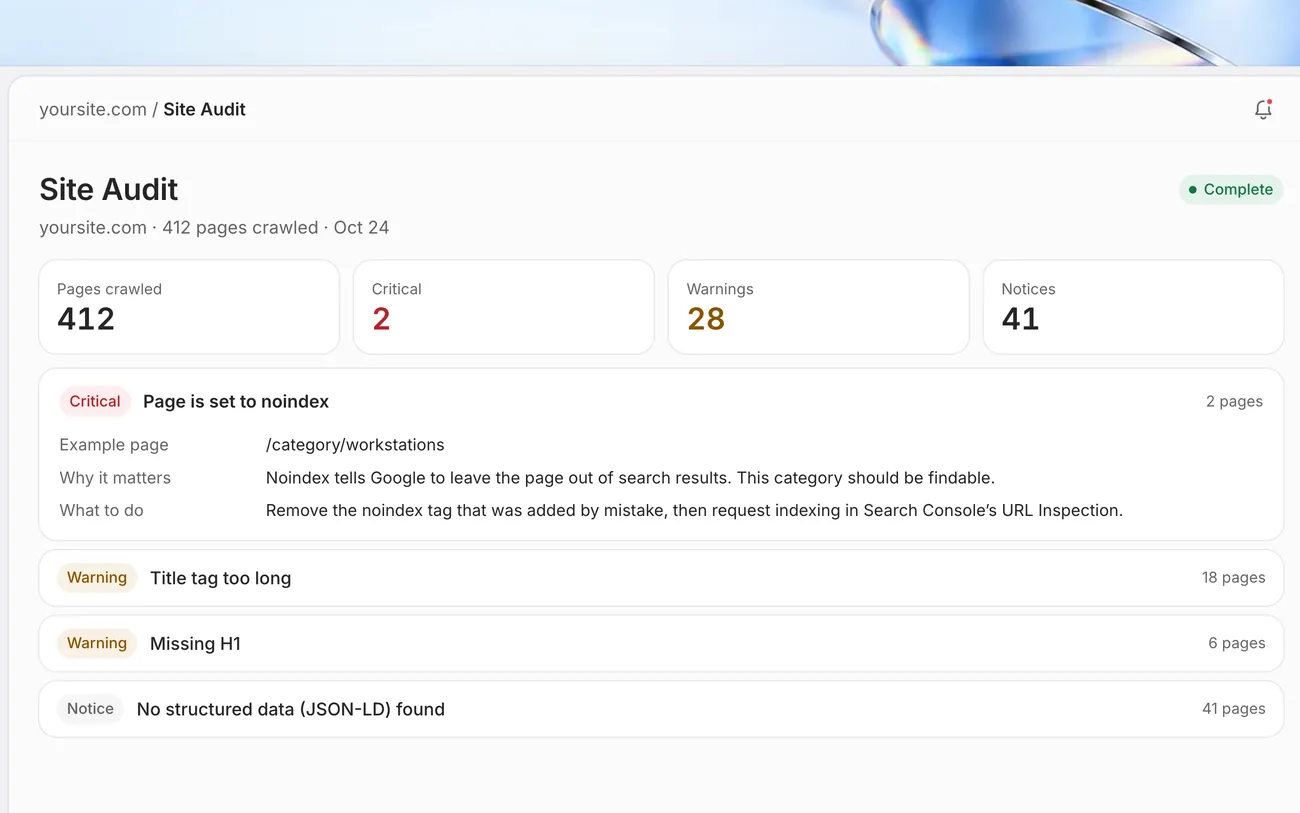
Marvedo crawls your site, groups every issue with the pages it affects and ranks them by severity. It tells you which problems actually hurt you, how to fix them and what to check once you have.
What is a technical SEO audit?
A technical SEO audit finds the problems that stop Google from discovering, crawling and understanding your pages. The usual suspects are broken pages, a noindex tag left on by mistake, missing or overlong title tags, wrong canonical URLs and missing structured data.
Not every warning deserves your time. Marvedo sorts findings into critical, warning and notice, and for each one explains why it matters, what to check before you change anything, and links to Google’s own documentation. You start with a handful of fixes, not a spreadsheet with hundreds of rows.
What the audit shows you
Issues ranked by severity
HTTP errors, redirects, noindex, title tags and meta descriptions, H1s, canonicals and JSON-LD, sorted into critical, warning and notice.
Affected pages
How many pages each issue touches, with example URLs, so you never have to hunt for it.
How to fix it
Why it matters, what to check first, what to change and how to verify the fix, backed by Google’s official documentation.
From crawl to fix in three steps
- 1
Crawl your site
Add your site. Marvedo crawls your pages and keeps every result with its date.
- 2
Start with what’s critical
Issues that keep pages out of search sit at the top, each card with an example page and the fix.
- 3
Fix and verify
Recrawl after the change, then use URL Inspection in Search Console to ask Google to read the page again.
Frequently asked questions
How long does a site audit take?
It depends on the size of your site. The crawl runs in the background and the results appear when it finishes; you can keep using the rest of the app in the meantime.
Do I need to fix every warning?
No. Some findings are deliberate; a noindex tag on a login page is perfectly normal. Marvedo asks you to check each page’s purpose first and keeps critical issues separate.
Does Marvedo fix issues on my site by itself?
No. The audit is read-only. The agent can prepare changes such as new titles and descriptions, but nothing is written to WordPress without your approval.
How is this different from the free site check?
The free check looks at a single page instantly. The site audit in the app crawls your whole site, keeps the results and lets you compare them over time.
Works well with
Related tools
Related guide
What should you fix first after a site audit?
A guide to reading audit results, from confirming a finding to deciding what to fix first.
Read guide