Get found onGoogle, ChatGPT, Gemini and Perplexity..ChatGPT....Google and ChatGPT.Marvedo does the work.
Enter your site. Marvedo learns your business and how people search for it, then lines up the work that will bring you the most customers. You approve it, and it shows you in numbers whether it worked.
Search Console
GA4
WordPress
ChatGPT
1Finds the searches that bring in buyers.
2Prepares your pages and content, and publishes them once you approve.
3Tracks the results on Google and in AI answers.
Integrations
Reads your data, ships the work, keeps an eye on AI answers.
Search ConsoleClicks, impressions, rankings
Google Analytics 4Traffic and conversions
Sign in with GoogleOne-click connection
Google AdsPaid vs. organic overlap
MarvedoYour always-on SEO agent
Spots the opportunity
Preps the fix
Measures the impact
WordPress
Publishes what you approve and keeps the previous version.
AI answers
Google AI Overview
Google AI Mode
ChatGPT
Gemini
Perplexity
Checks every week whether AI answers cite you.
What Marvedo does for you
AI visibility
If AI won’t recommend you, your competitor gets the customer.
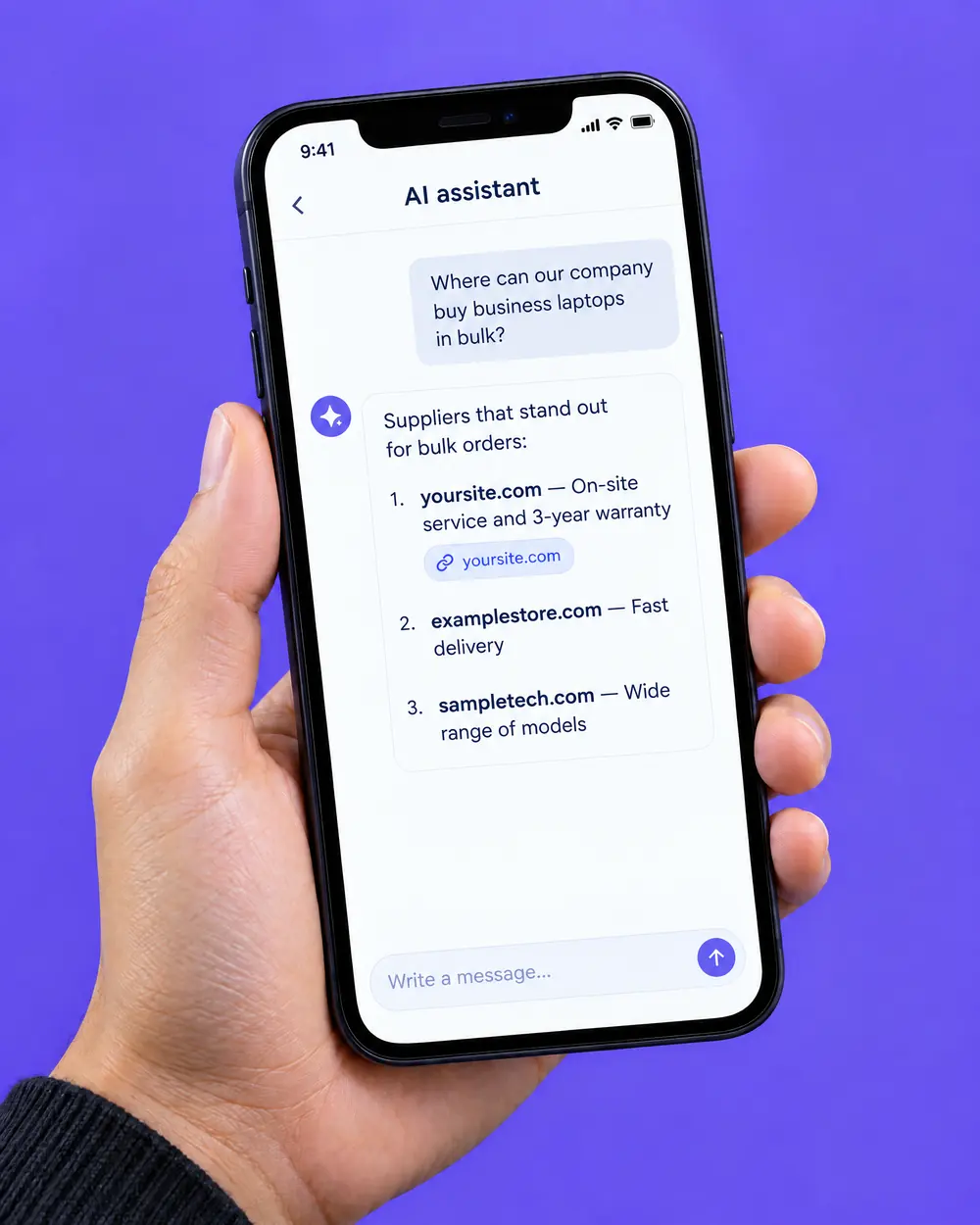
Your customers are asking ChatGPT and Google’s AI now. Every week Marvedo checks whether those answers mention you, and who they mention instead.
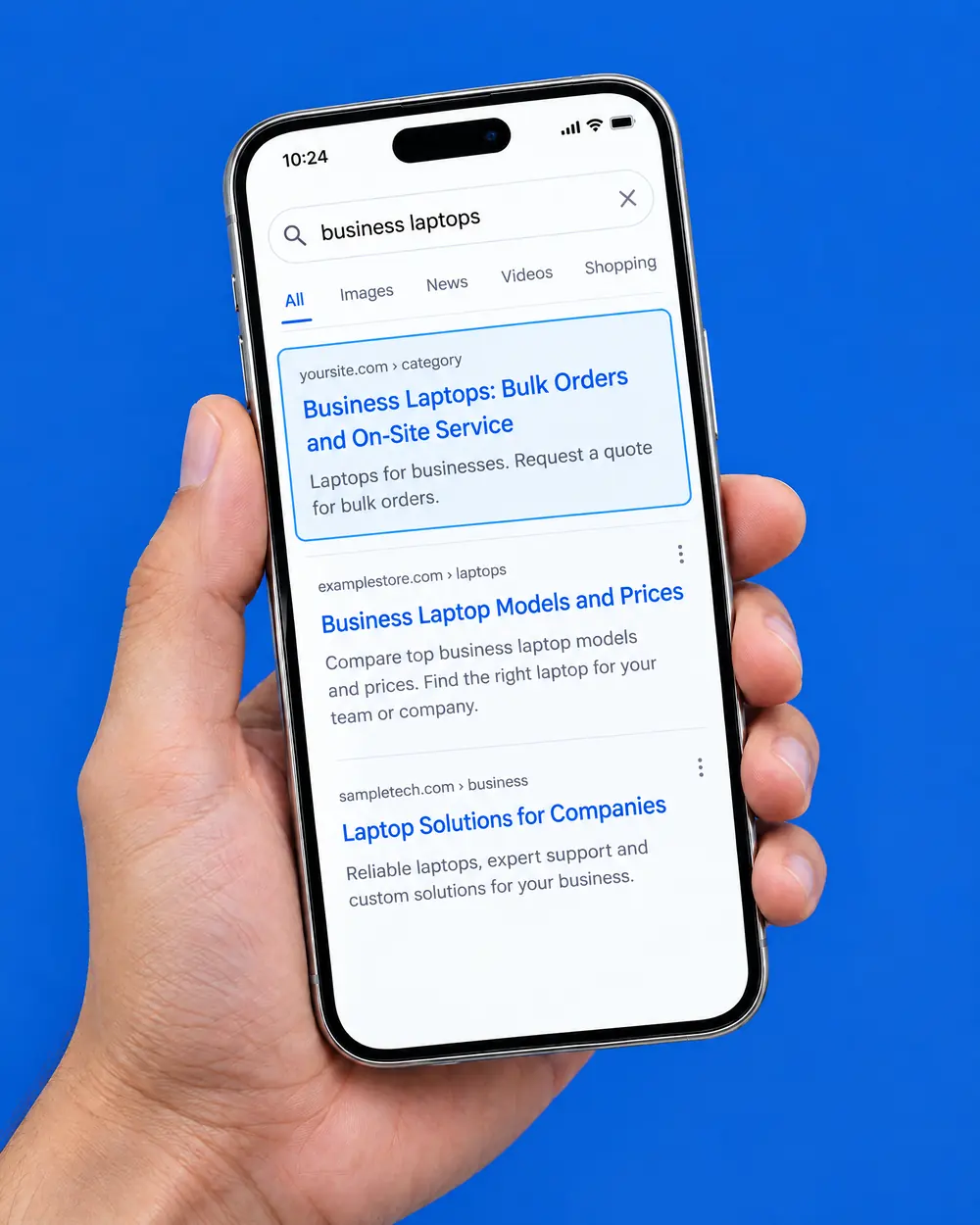
Marvedo finds pages in your Search Console data that get plenty of impressions but few clicks, writes a new title and description that match what people are searching for, and publishes them to WordPress once you approve.
It measures every change and never inflates the result.
After 14 and 28 days it compares your page against the rest of your site. If there’s a real difference you see the net clicks; if not, it says “No clear change”.
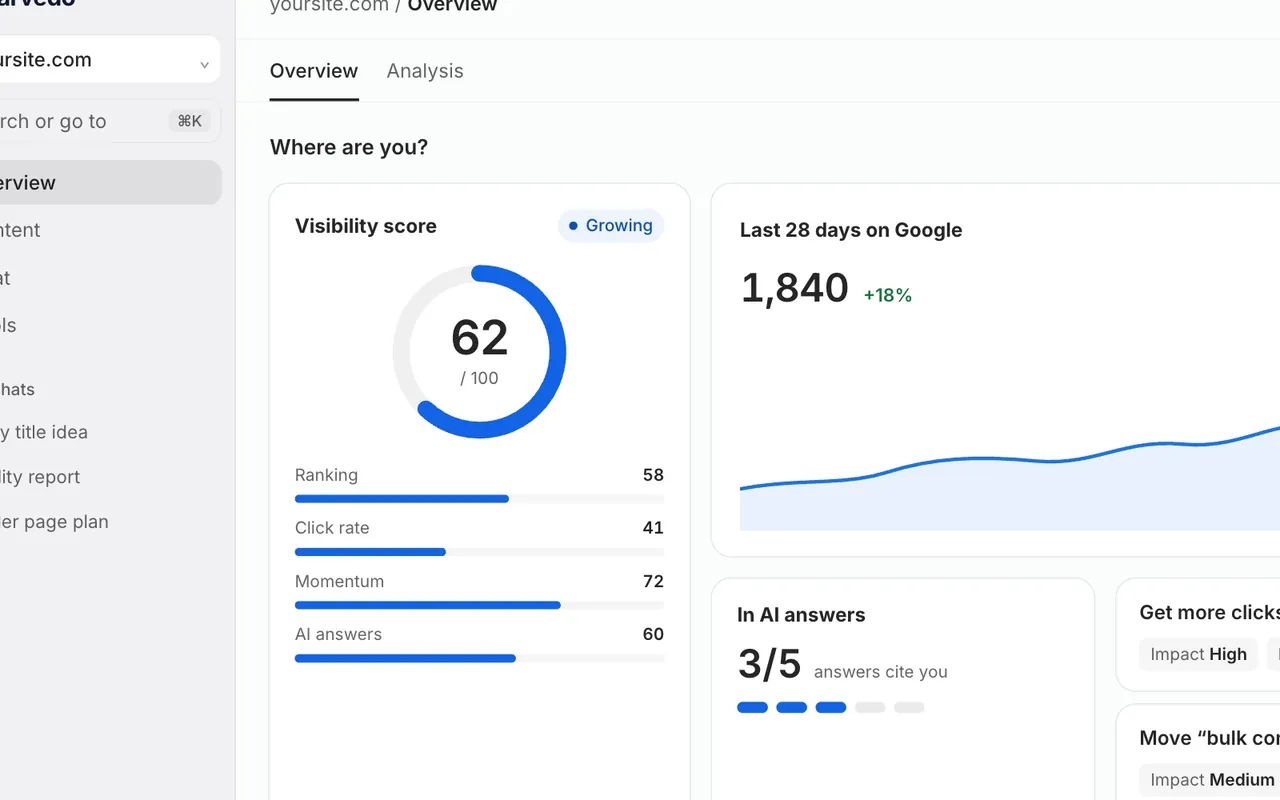
Your SEO agent that never clocks off. It watches your Search Console, GA4 and AI answer data every day, and each week it preps the work that will pay off most and asks for your sign-off.
Every dayRefreshes your Search Console, GA4 and AI answer data.
Every weekPreps the highest-impact work and asks for your sign-off.
Day 14 and day 28Measures the impact of every change you ship.
Nothing goes live without your approval.
Keeps the previous version, so any change is one click to undo.
Never inflates results: if nothing changed, it tells you.
09:41
Monday
Marvedonow3 jobs ready this weekYour biggest opportunity: the business laptops category. Waiting for your approval.
MarvedonowResults are in: +25 net clicksNew title improved after 28 days · confidence: medium
Inside the app
Spots the opportunity, preps the fix, measures the impact.
One screen shows which page will gain and why, the ready-to-use copy, and what changed once it went live. All you do is approve.
business laptops
yoursite.com › category › business-laptopsComputers | Tech StoreDiscover the latest computer models at great prices.
Impressions
14,200
CTR
0.8%
Position
8.4
Marvedo’s pickThis week’s biggest opportunity
Lots of impressions, few clicks. The title doesn’t match what people are searching for.
Up next
/guide/choosing-business-computersA competitor is cited in AI answers
/category/business-desktopsClose to page one
/product/14-inch-business-laptopCanonical points to another URL
Ready to ship · New title
Computers | Tech Store
Business Laptops: Bulk Orders and On-site Service49 / 60
Why? This page appeared 14,200 times in 28 days but only 0.8% of searchers clicked. The new title answers what they want: bulk orders and on-site service.
Google preview
yoursite.com › category › business-laptopsBusiness Laptops: Bulk Orders and On-site ServiceLaptops for businesses. Compare by processor, memory and warranty length, and request a quote for bulk orders.
WordPress
Publish to WordPress✓LivePrevious version saved
Proof · 28 days · /category/business-laptops
PageExpected, based on the rest of the site
+25net clicks
Improvedconfidence: medium
Before
108
Expected
117
After
142
AppliedWith your approval
Day 14Collecting data
Day 28Improved
GEO · AI visibility
Does AI mention you?
Every week Marvedo asks Google AI Overviews, AI Mode, ChatGPT, Gemini and Perplexity questions that fit your site, then shows whether you’re cited and who’s cited instead.
No sign-up needed. The free scan checks a few questions in Google AI Overviews and ChatGPT.
What laptops should a company buy for its employees?
✦AI answer
For office work, business-series laptops with 16 GB of memory and an on-site service warranty are usually recommended.1
1yoursite.com2competitor.com
3/ 5 surfaces cite you
Google AI OverviewAsking…Cited as a source
Google AI ModeAsking…Not cited
ChatGPTAsking…Cited as a source
GeminiAsking…Mentioned
PerplexityAsking…Cited as a source
Most often cited instead of youcompetitor.com
How we measure
We never inflate the proof.
Each change is compared, 14 and 28 days later, with how the rest of your site moved over the same period. No difference? It says “No clear change”. Too little data? “Not enough data”.
+25net clicks · 28 days
ImprovedNew title and description · /category/business-laptops
The new title brought 25 net clicks in 28 days.
Before
108
Expected
117
After
142
Confidence
Medium
No clear change28 days
New title
/product/14-inch-business-laptop
Difference within the normal range
The page moved in line with the rest of the site
New page28 days
New page
/guide/choosing-business-computers
960 impressions, 22 clicks
New page · no comparison group
Not enough data14 days
New description
/category/laptop-bags
Too early to tell
Very little search data for this page so far
PageExpected, based on the rest of the siteFrom the proof screen in the app, with example data.
New in Marvedo
NewFirst Analysis and a 30-day plan
Crawls your whole site, sorts category, product and blog pages, and builds your first to-do list and a 30-day plan.
NewChat
An SEO assistant that knows your site’s data: it answers with sources and can send a draft to WordPress.
NewGoogle Ads connection
Shows where your paid keywords overlap with your organic rankings. Read-only: it never touches your campaigns.
Pricing
Start free, upgrade as you grow.
Each plan includes everything in the one before. Prices in US dollars, excluding VAT.
What is a credit? 1 credit per chat question, 5 per article. Failed answers cost nothing. Unused credits roll over to the next month, up to your plan’s limit.
Payment Online payment is coming soon. For now, email hello@marvedo.com and we’ll set up your paid plan the same day.
No sign-up needed. It asks Google AI Overviews and ChatGPT a few questions that fit your site, then shows how many answers cite you, who is cited instead and three steps you can take. Start the scan.
Sign up free with Google or your email. No credit card needed. Add your site, connect Search Console and your First Analysis starts. Want a quick look first? Run an instant check on the free analysis page.
No. Marvedo is software: an SEO agent that preps your SEO work every week and measures what it achieved. It’s a subscription; there’s no consultant or agency involved. For questions, contact the Marvedo team.
Online stores, small businesses and marketing teams that want their website to bring in customers. You don’t need to know SEO: the agent explains what to do and why in plain language, and you just approve.
No. The agent prepares the work and asks for your approval. It writes the title and description you approved to your WordPress page and keeps the old ones, so you can undo with one click at any time. Without a WordPress connection you copy the text and add it to the page yourself.
14 and 28 days after each applied change, the page’s Search Console data is compared with how the rest of your site changed over the same period. The net result is the difference, shown with a confidence level based on how much data there is. New pages and citations in AI answers are measured too.
If there is no difference it says “No clear change”; if there is little data it says “Not enough data”. We never make a result look better than it is; knowing what didn’t work helps choose the next task too.
Your Google impressions, clicks and rankings come from Search Console every day. For AI answers, Marvedo asks questions picked for your site in Google AI Overviews, AI Mode, ChatGPT, Gemini and Perplexity every week and records whether you’re cited. The two are measured and reported separately.
No. Nobody controls Google’s rankings or which sources AI answers choose. Marvedo measures what changed and reports it as it is; it never promises rankings, traffic or citations.
Yes. First Analysis reads the pages you already have and shows which ones have the most room to grow. Improving an existing page’s title or content often pays off faster than writing something new.
No. Marvedo works alongside your other tools. It connects to Search Console, GA4 and Google Ads read-only, and only with the permissions you grant.
No, it’s optional. The agent’s weekly jobs are built on Search Console data, though; without it you can still use the research and audit tools. The connection is read-only and works only with the permissions you grant in the app.
 .
. .
. .
.