How it works
From sign-up to measured results in five steps.
Connect Search Console and Marvedo learns your site and brings ready-to-ship work every week. You approve; Marvedo measures the results and sends you a summary every Monday.

Step by step
Here’s what a week with Marvedo looks like.
You do the first two steps once; after that, it runs every week on its own.
Sign up with Google, connect Search Console.
Sign up with your Google account; no credit card needed. You give Search Console read-only access, and Marvedo changes nothing on your site.
If you like, you also connect GA4, Google Ads (read-only) and WordPress through the Marvedo Helper plugin. You can remove any connection at any time.
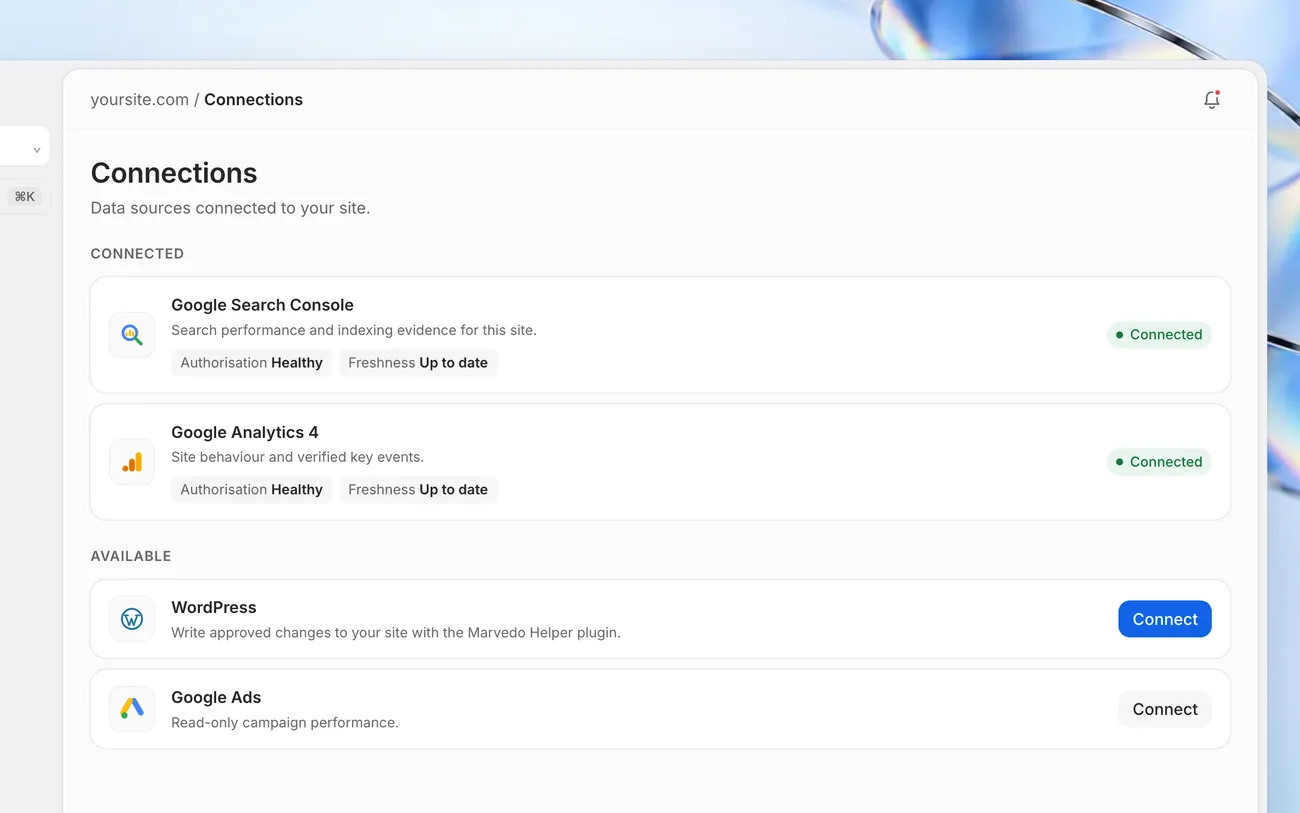
Data connections First Analysis learns your site.
Marvedo reads your pages: it tells category, product and blog pages apart and finds your strongest pages, the ones with most room to grow, and technical gaps.
At the end, “Your first 30-day plan” is ready, with the estimated clicks and effort beside each job.
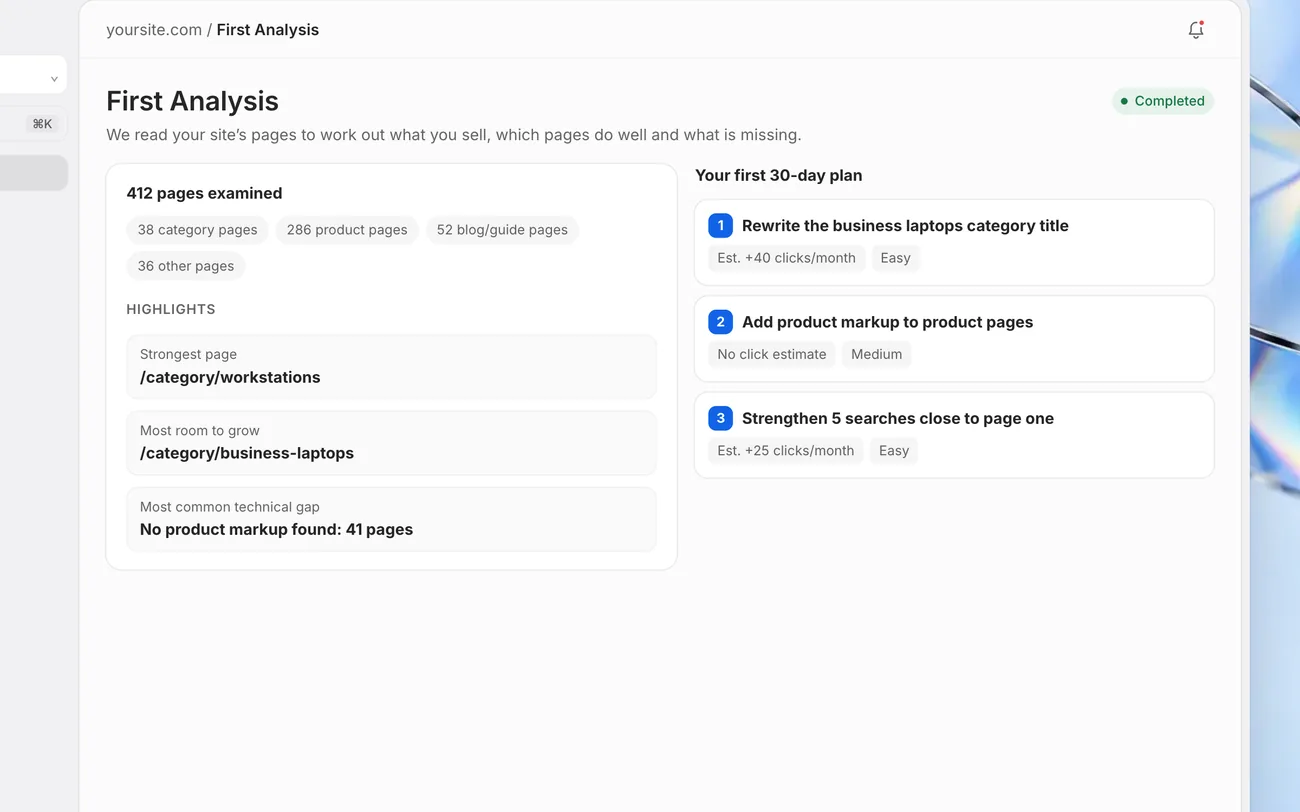
First Analysis Ready-to-ship work every week, with your approval.
The agent looks at your Search Console and AI data, picks the few jobs that will gain the most and writes down why, with the numbers. It brings the new title and description ready to use.
If you approve, it writes the change to WordPress; the old version is kept and one click undoes it. Work you reject is never published.
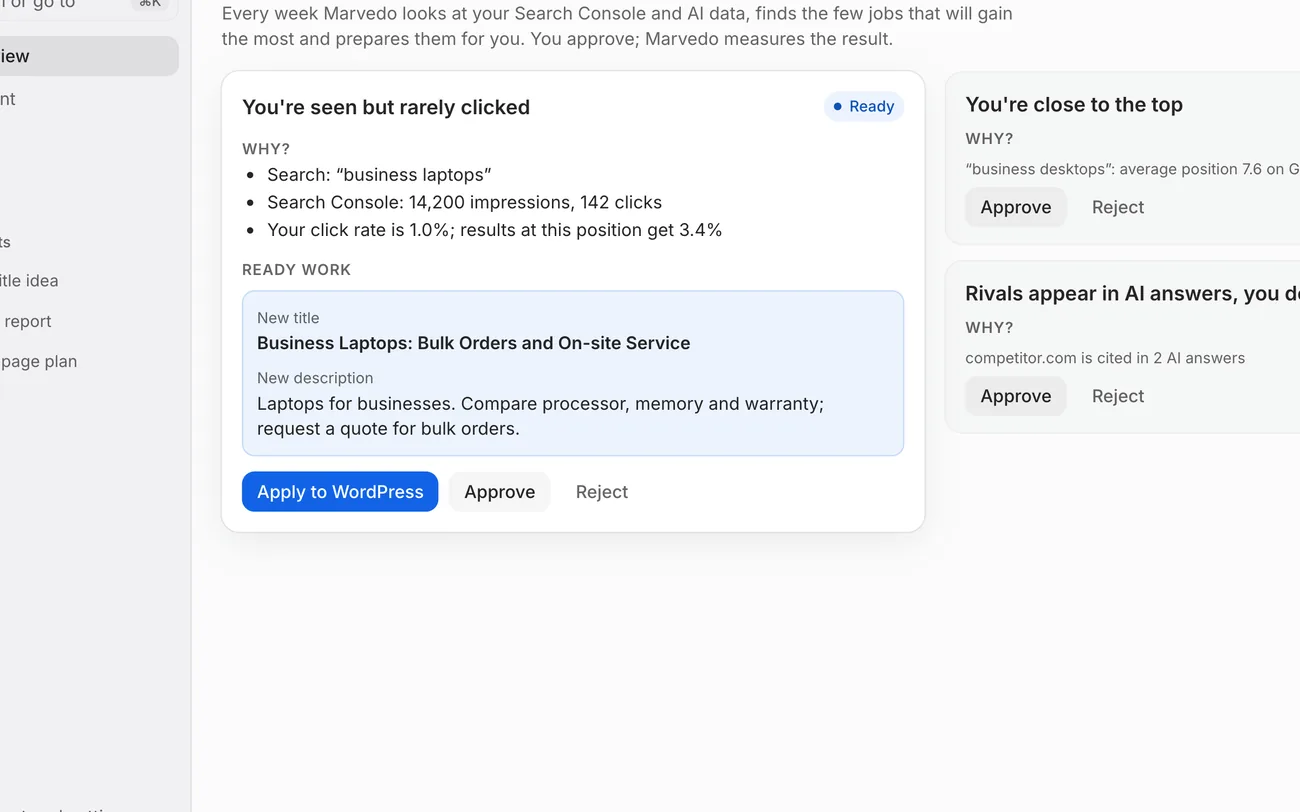
Agent It measures the result after 14 and 28 days.
It compares the changed page with the rest of your site and reports the net click difference and how confident it is.
If nothing changed it says “No clear change”; if there is too little data it says “Not enough data”. It never makes a result look better than it is.
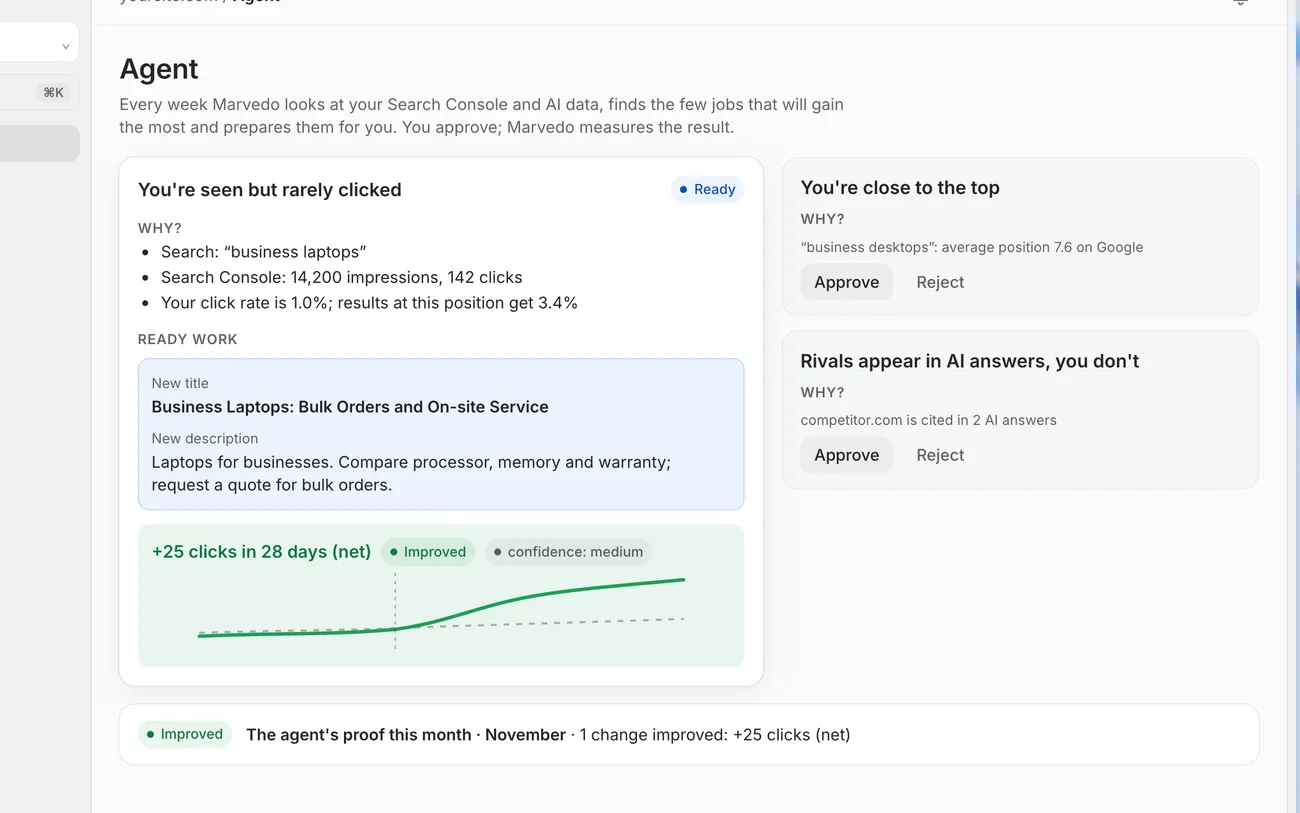
Measured result A summary lands in your inbox every Monday.
The last 7 days of clicks and impressions, today’s first jobs and the results the agent measured, in one email.
In between, ask Chat whatever is on your mind; it answers with your site’s data and names the source.
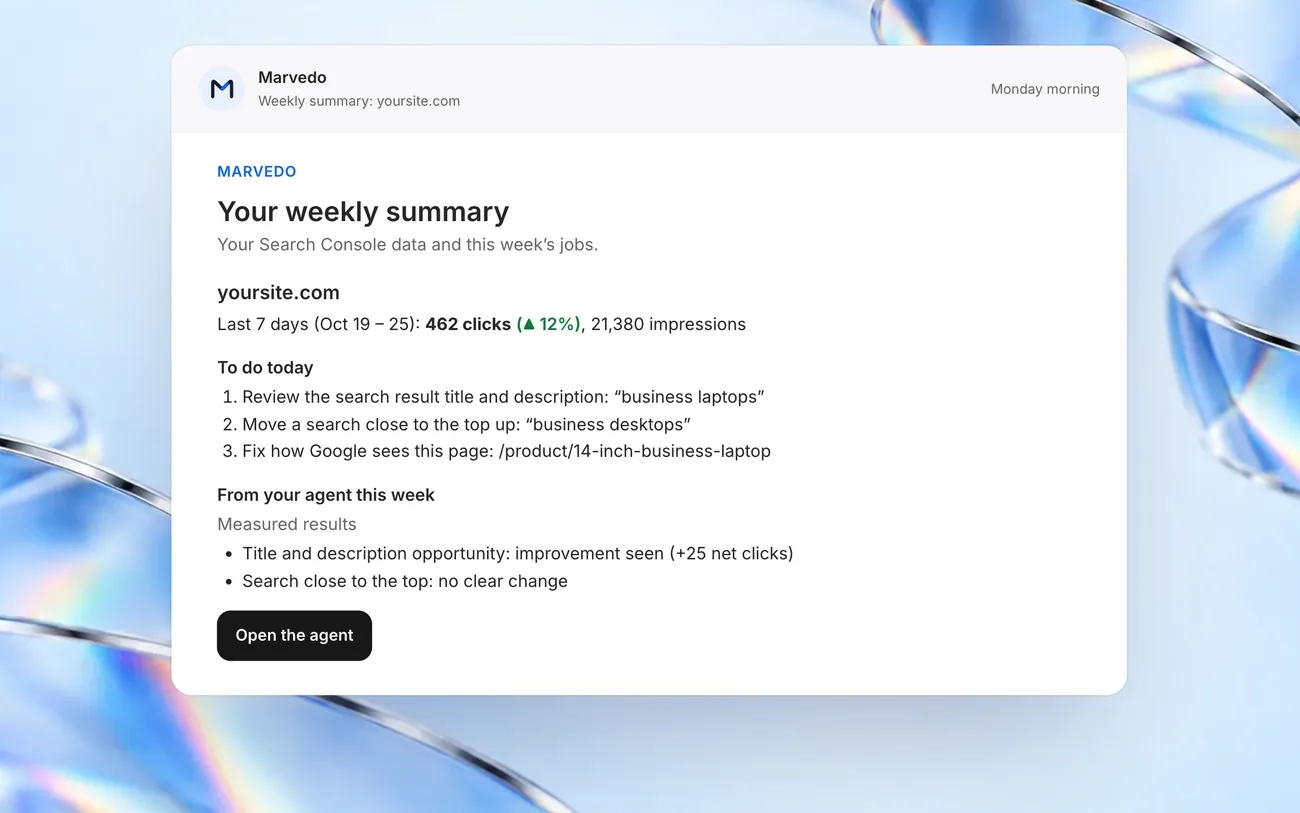
Weekly summary
Who does what
You decide, Marvedo does the work.
You
- You connect Search Console once.
- You approve or reject the ready work.
- You can ask Chat anything, whenever you like.
Marvedo
- Reads your data and finds the opportunities.
- Prepares the work and writes it to WordPress after your approval.
- Measures the result and sums it up every Monday.
Before you start
What do you need?
- A Google account
To sign up and sign in. The free trial needs no credit card.
- Search Console access
Your site’s verified property. Marvedo only reads it.
- WordPress optional
The Marvedo Helper plugin, so the changes you approve are written to your site.